
For contractors who quote their own jobs
Quote it in the driveway. Get it signed before you leave.
Build an itemized quote on your phone and text your customer a link. They sign in their phone's browser, with nothing to install. The signed quote moves to Invoices automatically, so you never retype a job.
- Free Bronze plan. No card required.
- Your customer can be on any phone, iPhone included.
- Built and supported by one developer in Colorado.

How it works
From "what's it going to cost?" to an invoice in three steps
-
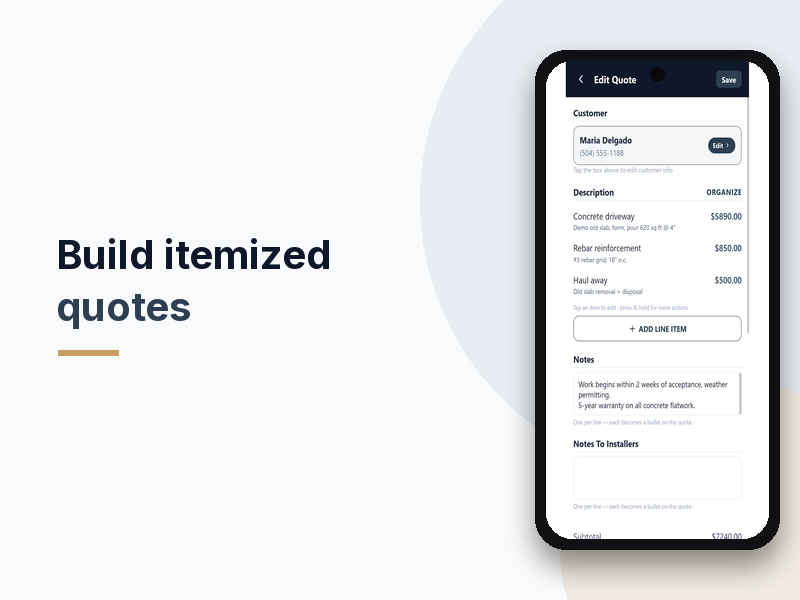
Build the quote on site
Add line items, sections, options, discounts, tax and photos. Type dimensions like "40 x 12" and the quantity helper does the math. Your logo goes on every quote and PDF.
-
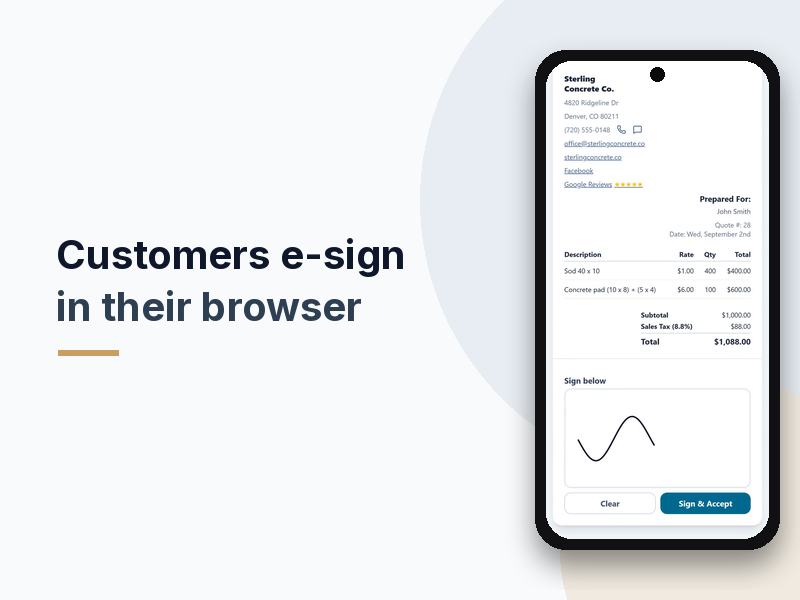
Text it. They sign.
Send the quote by text or email. Your customer opens the link, reviews it and signs with a finger. No app, no account, no printing or scanning.
-
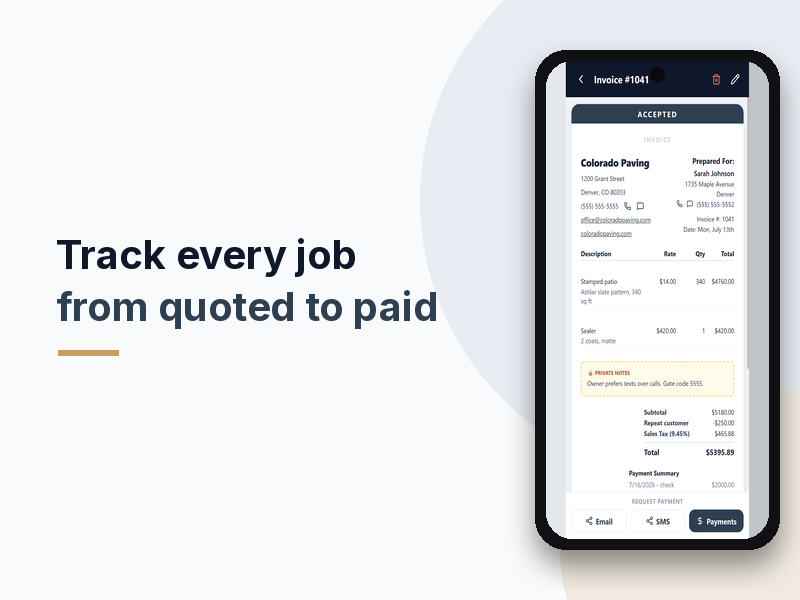
It's already an invoice
Once your customer signs, the quote moves to Invoices automatically. Record cash or check, or take cards through your own Stripe account on Silver and Gold.


See it in 95 seconds
95-second overview with sound. It plays only when you press play. App screens use demo data.
Features
What you get
Itemized quotes and estimates
Line items, sections, reusable discounts, tax and photos attached to the quote or line item, so the customer sees exactly what they're paying for.
Optional line items
Add optional line items to a quote, and reuse your saved discounts in a tap.
Quantity helper
Type "Sod 40 x 12" and the quantity fills in as 480. Always check the number before you send.
Browser e-signatures
Customers sign from the link on any phone or computer. The signature lands on the final document.
Automatic invoices
Signed quotes move to Invoices on their own. Download a PDF any time.
Payment tracking
Record cash, check and partial payments on every plan. Card payments through your own Stripe account on Silver and Gold, after Stripe setup.
Your branding, your words
Your logo and company details on every document. Rename "Quotes" to "Estimates" and the app and customer's document follow.
Stats
Revenue collected, outstanding, quotes sent, accepted dollars, acceptance rate and top customers, on Silver and Gold.
Help built in
Ask Mave, the in-app assistant, when you get stuck on setup.
Straight answers before you install
Built by contractors, for contractors
We built QuoteMaven around how quoting really works on the job, and we answer support ourselves. Email us at [email protected].
Card money goes to you
Card payments run through your own Stripe account. The money goes to you, not to QuoteMaven.
Billed by Google Play
Paid plans are Google Play subscriptions. Cancel from your Play subscriptions at any time.
Real screens, demo data
Every screen on this page comes from the actual app. Names and amounts are sample data.
Pricing
Start free. Upgrade when you need more.
Prices in US dollars. Google Play shows your local price and currency at checkout.
-
Bronze
Free
No card required
- 10 quotes a month
- E-signature links
- Signed quotes move to Invoices automatically
- Your logo and branding
- Discounts, tax, and cash or check tracking
- Quantity helper during your first 30 days
-
Adds card payments
Silver
$15/month
or $150/year (save $30)
- Everything in Bronze
- 40 quotes a month
- 400 quantity-helper calculations a month
- Card payments (after Stripe setup)
- Stats dashboard
-
Gold
$25/month
or $250/year (save $50)
- Everything in Silver
- Unlimited quotes
- Unlimited quantity-helper calculations
- Notes highlighter
30 days of Gold access, on us. It starts when you create your first quote, not when you sign up, and includes 300 quantity calculations. It isn't a store subscription and no payment method is needed. Afterward you're on free Bronze unless you choose a paid plan.

FAQ
Common questions
Is QuoteMaven really free?
Yes. Bronze is free and sends real quotes with e-signatures, up to 10 a month. Silver and Gold add more quotes, card payments and Stats.
Does my customer need to download an app?
No. Your customer opens the link you text or email and signs in their browser on any phone or computer, including iPhones. They don't need an account.
What happens after my customer signs?
The quote shows as accepted and moves to Invoices automatically. There's nothing to retype. From there you can download a PDF and record or collect payment.
Can my customers pay by card?
Yes, on Silver and Gold. Card payments go through your own Stripe account, so the money goes to you. Stripe setup takes a little time, so plan for it before your first card job. Cash and check can be recorded on every plan.
Is there an iPhone version?
Not right now. QuoteMaven is available for Android on Google Play. Your customers can be on any phone, because they sign in the browser.
How do the 30 days of Gold access work?
New Bronze accounts get 30 days of temporary Gold access, starting when you create your first quote, with 300 quantity calculations. You don't enter a payment method, and it never turns into a paid plan on its own. Afterward you're on free Bronze.
Can I call them "estimates" instead of "quotes"?
Yes. Rename labels in the app and both the app and your customer's document use your words.
Will the quantity helper always get the math right?
It's a helper, not a guarantee. It shows its work on the line item and never overwrites a quantity you typed yourself. Check the number before you send.
How do I cancel a paid plan?
Open Google Play, go to Payments & subscriptions, then Subscriptions, and cancel QuoteMaven. When the paid period ends, you're on free Bronze and your quotes stay in the app.
I was sent a quote to sign. Where do I go?
Use the link in the text or email you received. You don't need this app to view or sign it.
Send your next quote from the truck.
Free to start. Android only.