
Everything QuoteMaven does
One app for the whole money conversation: quote → signature → invoice → paid. Here's each piece, honestly described.
Professional quotes, fast
Line items with quantities, rates, tax, and discounts — including reusable discounts you set up once and apply anywhere. Organize items into named sections so a big job reads clearly. Totals are computed one way, everywhere: what the customer sees is what gets charged, to the penny.
The quantity helper that reads dimensions
Type dimensions into an item's name and the quantity fills itself — measured from your words, not guessed.
Sod 40 x 12 → quantity becomes
480. It handles the complex ones too: (40 x 12) + (10 x 8) →
560 — parentheses, multiple areas, added together. Every calculation shows
its work right on the line item, and it never overwrites a quantity you typed
yourself.Bronze includes 300 calculations in your first 30 days; after that it runs on Silver or Gold.
Try-it view — live example
E-signature links
Send the quote by text or email straight from your phone. Your customer opens a clean, branded web page — on any device, with nothing to install — reviews the quote, and signs with their finger. You get notified the moment they view it and the moment they sign.
Actual recording (demo data): scroll, sign with a finger, done — the quote flips to Accepted on its own.
Quote to invoice, automatically
The moment a quote is accepted, it becomes an invoice — same document, same numbers, no retyping. Send payment requests and paid-in-full receipts in your own words, and keep the paper trail in one place. Partial payments are tracked until the balance hits zero.
Get paid online, fast
Customers pay by card right from the quote link — no invoice email chains, no waiting for a check in the mail. You can also record checks, cash, bank transfers and partial payments; card checkout collects the remaining balance.
Card payments run on Silver and Gold. Recording cash, checks and bank transfers is on every plan, including free.
Optional line items and reusable discounts
Add optional line items to a quote and apply the discounts you saved once. Photos attach right to the quote or a line item.
Your branding, your words
Logo and company info on every document, with license and insurance files attached as links. Multi-contract fine print with per-quote selection. And the Labels system renames anything — "Quotes" to "Estimates," "Invoices" to "Bills" — consistently across the app and the customer's document.
Actual recording — "Quotes" renamed to "Estimates," and the whole app follows, tabs included.
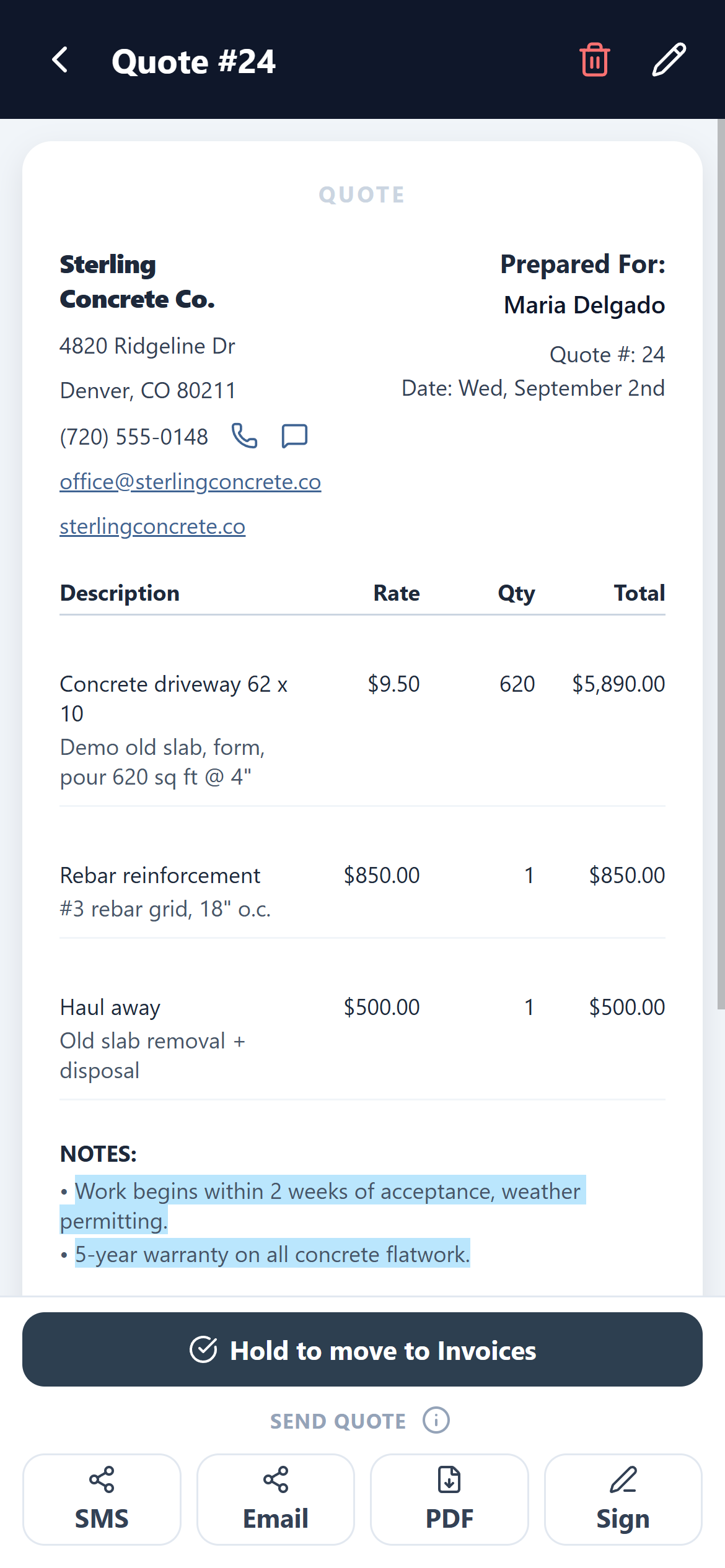
Notes that pop — the highlighter
Run a fluorescent marker across your notes so the lines that protect you — warranty terms, scheduling conditions — are impossible to miss. Ten colors, three shades each, on customer notes and crew notes separately.
Gold.
Your quote sells you — live links on the document
Every quote can carry tappable proof that you're the real deal: your Google Reviews as a ★★★★★ link, your website and Facebook, and your license & insurance as viewable documents. The moment a customer is deciding is the moment they're checking you out — put everything that closes the job right on the quote itself.
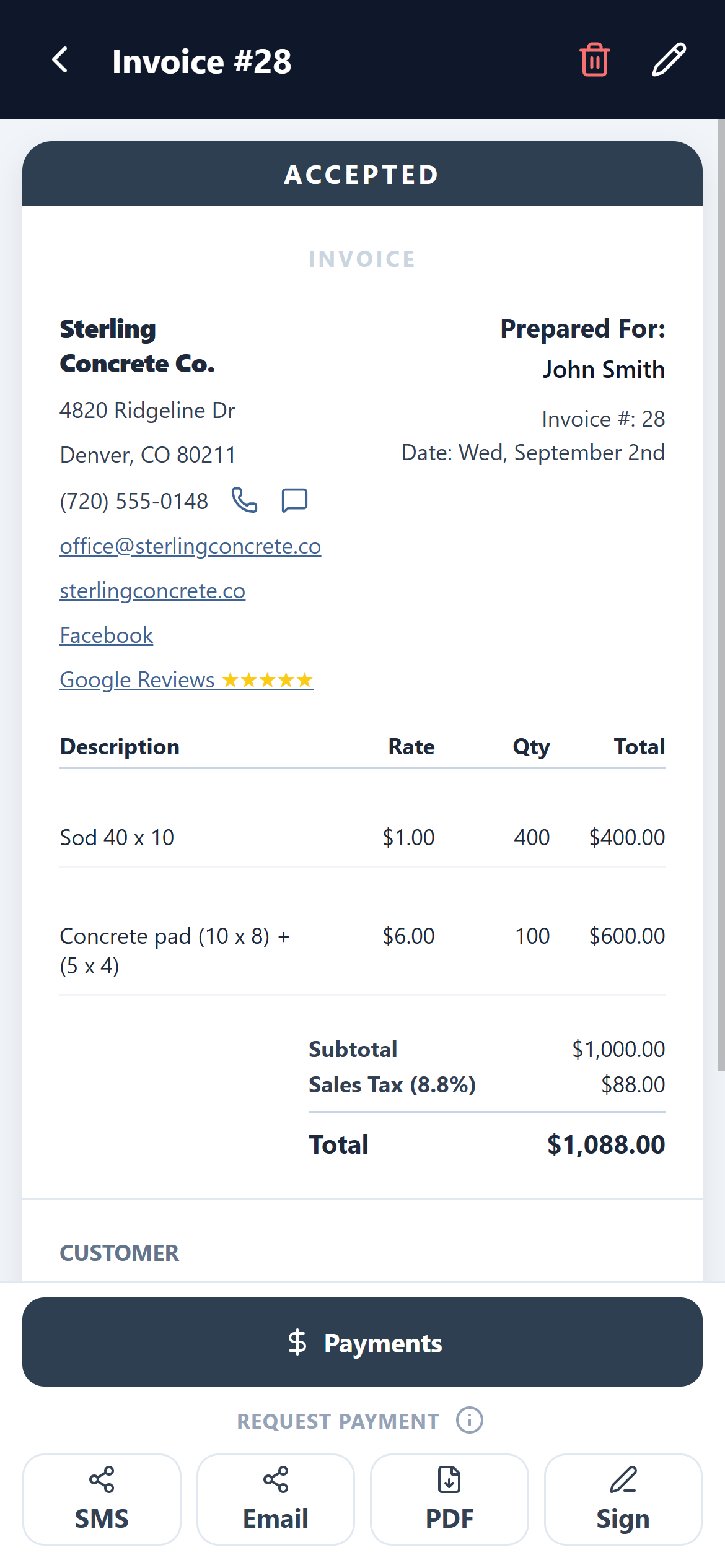
Real document (demo data): website, Facebook, and Google Reviews ★★★★★ — all tappable, right under your company name.
Photos and attachments
Attach job-site photos to line items and documents to the quote. Photos are compressed automatically so quotes stay fast to open and send.
Stats and notifications
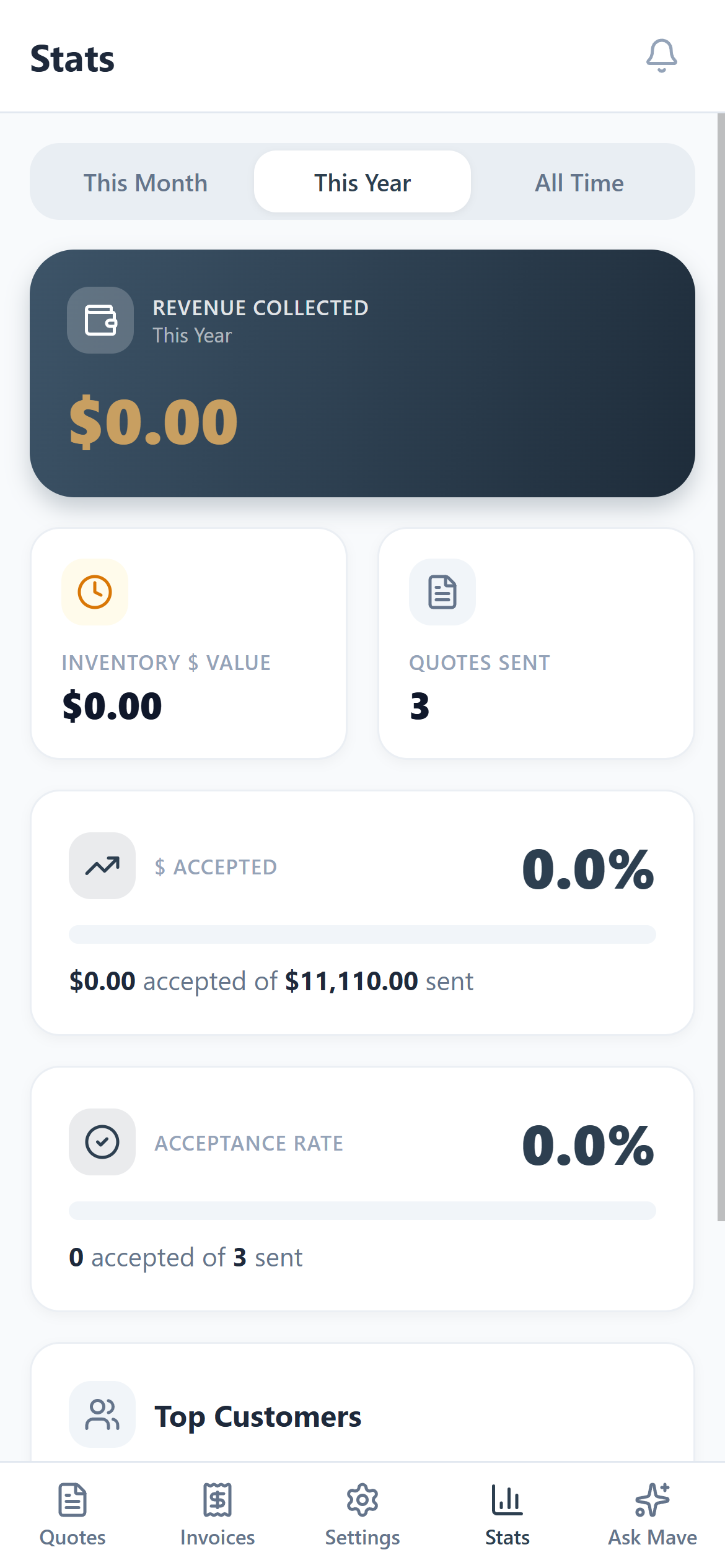
Revenue collected, acceptance rate, and top customers at a glance. Push notifications for views, signatures, and payments — so you're following up at exactly the right moment.
The stats dashboard is on Silver and Gold. Notifications are on every plan.
Mave, the built-in expert
Ask Mave — the in-app assistant — how anything works and get an exact answer with the button to tap. It knows every screen of the app.